
Use AuditGate
Read and fix findings
What a finding tells you, how to decide what matters, and how fixes get confirmed.
A finding is one security problem on one endpoint. Open Findings to see them across all your projects.
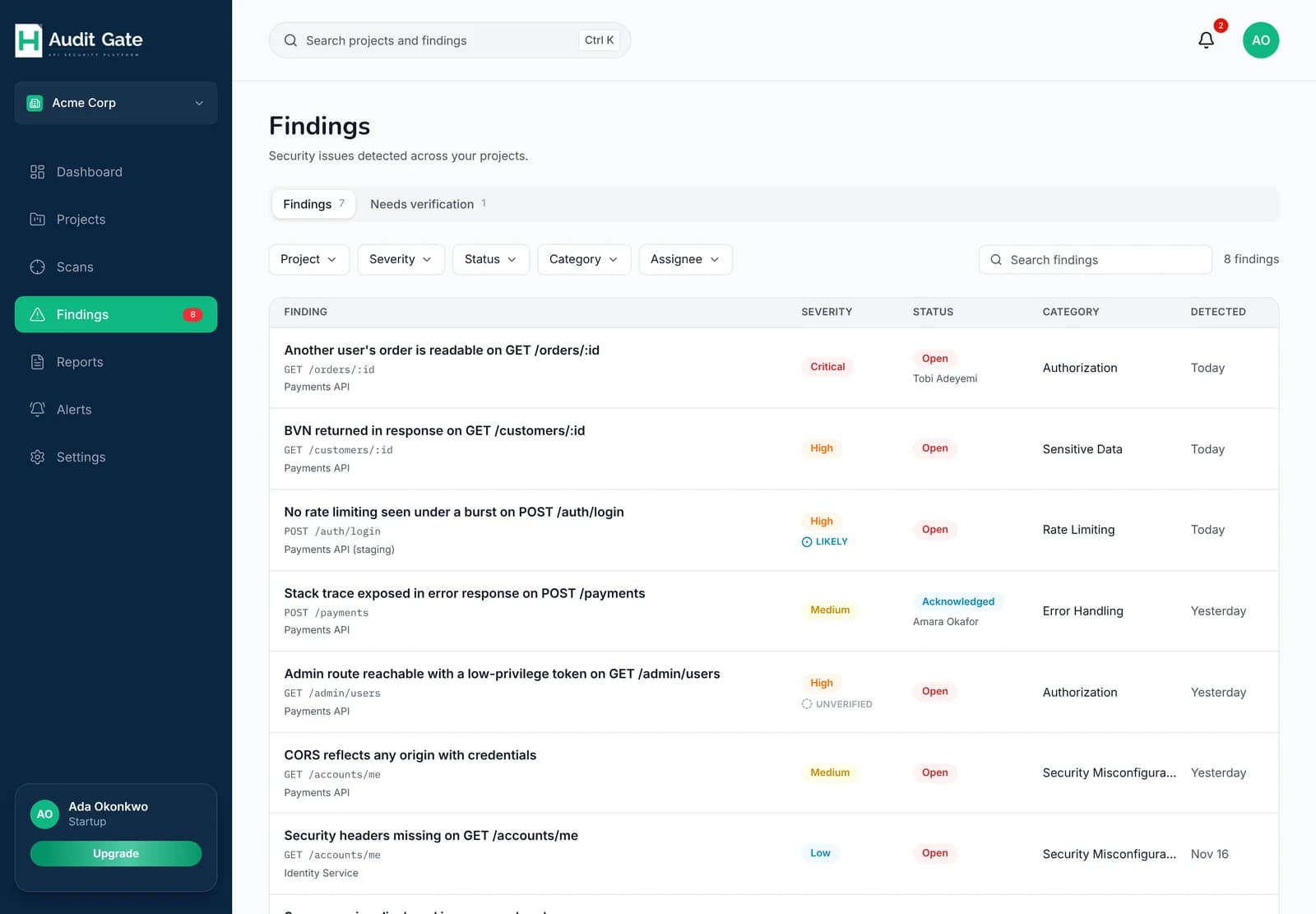 1234
1Needs verification holds Unverified findings
2Filter by project, severity, status, category or assignee
3Who it's assigned to
4How sure AuditGate is
What's in a finding#
Open one to see:
- What was found and why it matters, in plain language.
- The endpoint, for example
GET /orders/:id, and any other endpoints with the same problem. - Evidence: the request and response that prove it. Sensitive values such as card numbers and tokens are masked.
- The file and handler, if your repository is connected.
- How to fix it, with a code example on plans that include AI fix guidance.
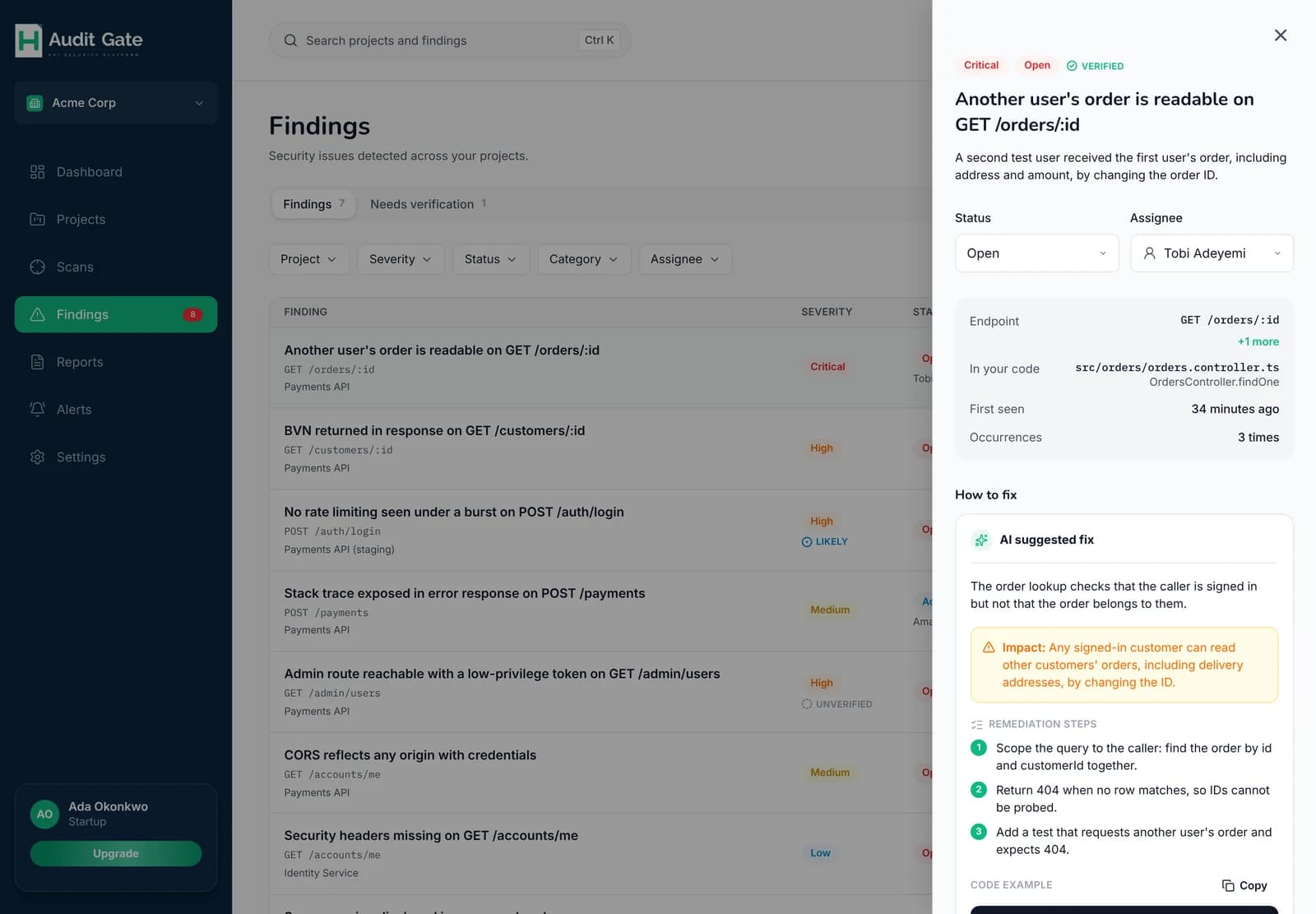 12345
1Severity, status and confidence
2Change the status
3Assign it to someone
4The file and handler to change
5How to fix it
Severity and confidence#
Severity is how bad it is if it's real: critical, high, medium, low or info. Confidence is how sure AuditGate is:
| Confidence | Meaning | Example |
|---|---|---|
| Verified | Reproduced with proof | Your second test user received your first user's order |
| Likely | Strong signal, not proven | 30 login attempts in a row, none blocked |
| Unverified | A lead to check | A route that looks admin-only answered a normal user |
Start with verified critical and high findings. Unverified findings don't lower your health score.
Statuses#
| Status | Use it when |
|---|---|
| Open | New and not yet picked up |
| Acknowledged | Someone is working on it |
| Resolved | It's fixed |
| False positive | It isn't a real problem |
You don't have to mark things resolved yourself. At the end of every active scan, AuditGate retests open findings. Anything it can't reproduce any more is resolved for you, and reopens if the problem returns.
Using the AI fix guidance#
On plans that include it, each finding has written guidance: what an attacker could do, the steps to fix it, and a short code example. With a connected repository, the example refers to your actual handler.
Treat it as a starting point. Adapt the example to your code, add a test that reproduces the problem, then deploy to staging and scan again.
How long findings are kept#
Findings are kept for your plan's retention period. Archive a project instead of deleting it if you want to keep its history.