
Get started
What AuditGate does
A short tour of how AuditGate finds security problems in your API and what you get back.
AuditGate tests your API for the security mistakes that lead to real breaches: one customer reading another customer's data, login routes with no rate limit, tokens that never expire, personal data in responses. It keeps testing as you ship, so a new route doesn't go unchecked until next year's audit.
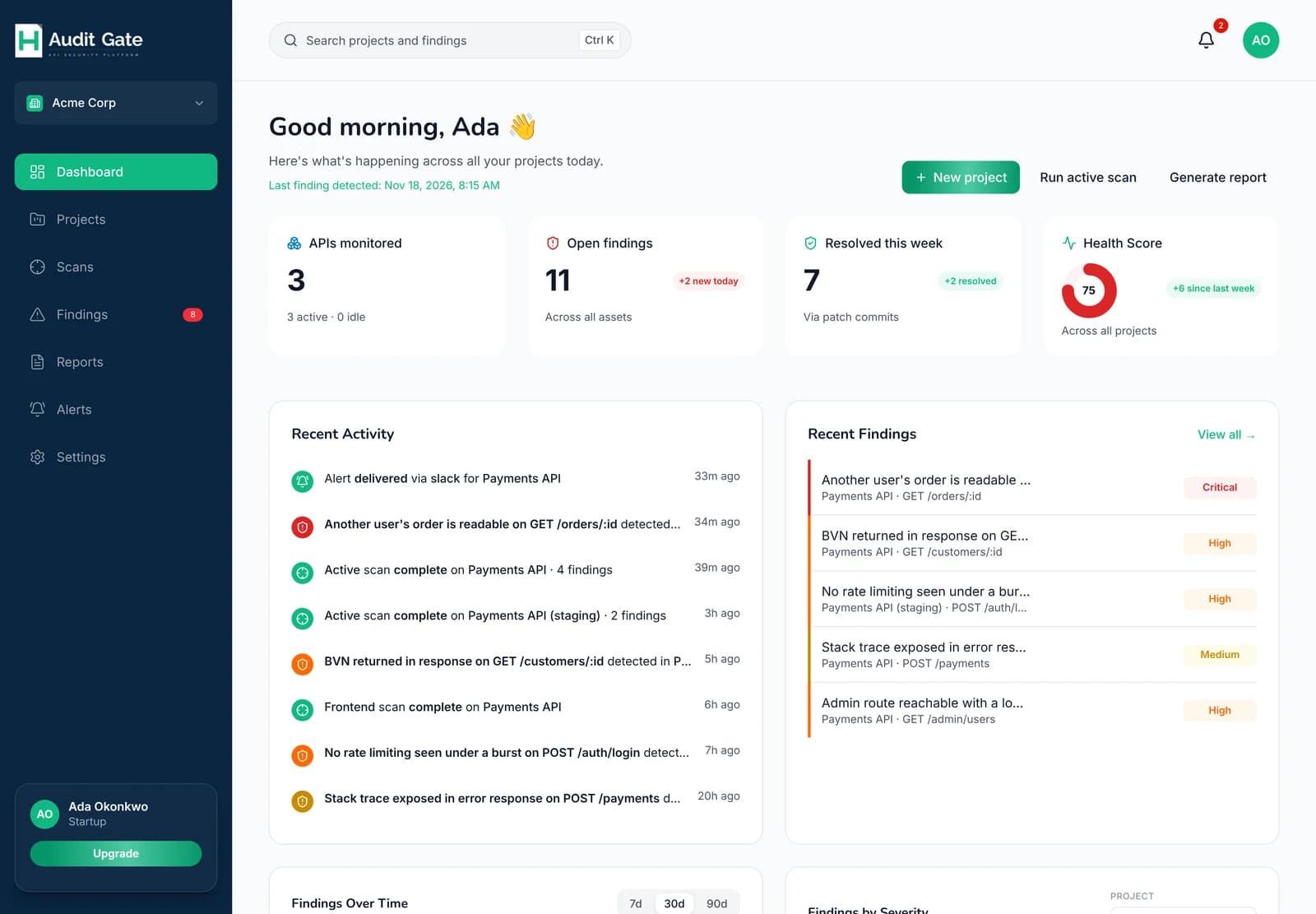 1234
1Create a project
2Open findings across your projects
3Overall health score
4Latest findings, most serious first
Three ways to test#
You can use any of these on its own. Most teams start with one and add the others later.
| Method | What you do | What it catches |
|---|---|---|
| Active scans | Add your API's address and prove you own the domain | Authorization gaps, injection, missing rate limits, exposed files, weak TLS |
| Traffic monitoring | Send requests through your project's proxy URL | Problems in real responses, such as leaked tokens or personal data |
| Code scanning | Connect a GitHub repository | Hard-coded secrets, unsafe code patterns, and the file to fix for each finding |
What you get back#
Each problem becomes a finding: what was found, on which endpoint, the request and response that prove it, and how to fix it. Findings are labelled by how sure AuditGate is: Verified means it was reproduced, Likely is a strong signal, and Unverified is a lead worth a look.
When you ship a fix, the next scan checks it again. If the problem is gone, the finding closes on its own. If it comes back, the finding reopens.
It won't break your API#
- Active scans only run on domains you've proved you own.
DELETErequests are never sent.- Requests that create or change data only go to development and staging projects that allow them.
- Scans are paced and slow down if your API starts rate-limiting them.
Ready to try it? Set up your first project.