
Connect
Monitor live traffic
Send requests through AuditGate's proxy so real responses get checked, with no code changes.
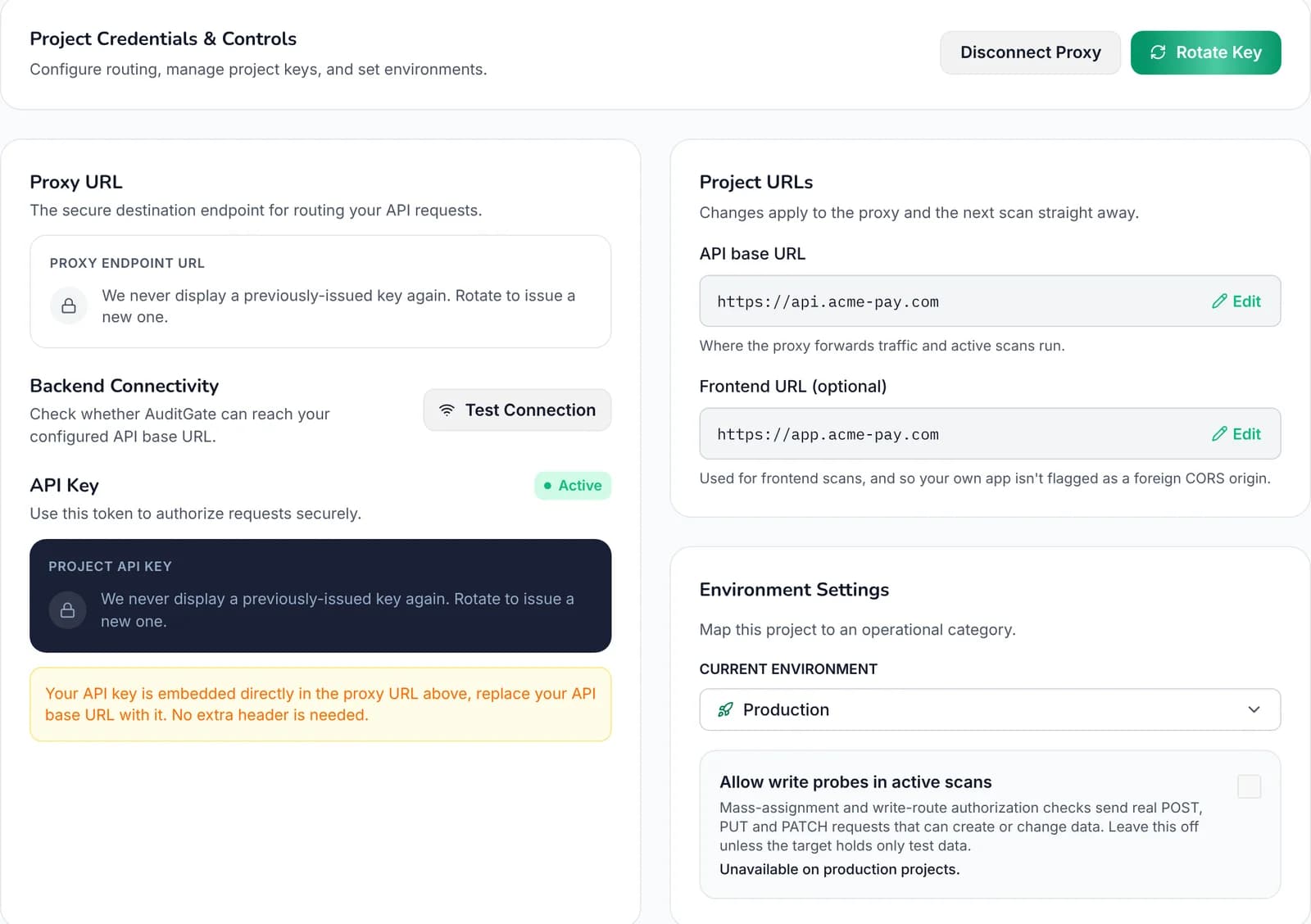
Every project with traffic monitoring on gets a proxy URL. Use it in place of your API's address. Requests go to your API unchanged, your API's response comes straight back, and AuditGate checks the exchange afterwards.
# Before
API_BASE_URL=https://api.example.com

# After
API_BASE_URL=<your project's proxy URL>
Same paths, same headers, same responses. Nothing else in your code changes.
 1234
1Your proxy URL, shown once when it's created or rotated
2Check AuditGate can reach your API
3Rotate the key if it leaks
4Write probes, for development and staging only
Where to use it#
- Your staging environment, so every tester and every end-to-end test run gets checked.
- A Postman or Insomnia environment your team uses day to day.
- Production, if you're comfortable sending live traffic through it.
Checks run after your response has been sent back, so callers aren't slowed down by them. Each request makes one extra network hop.
Look after the key#
The proxy URL contains your project's proxy key. Treat it like a password.
- It's shown once, when it's created or rotated.
- Keep it in environment variables, not in your code.
- If it leaks, choose Rotate in project settings. The old key stops working at once.
- Key activity shows when the key was last used.
What's kept#
For charts and the health score, AuditGate keeps the method, path, status code and response time of each request. It doesn't keep full request or response bodies. When a check finds a problem, the finding keeps just enough evidence to prove it, with sensitive values masked.