Get started
Run your first scan
Start an active scan, follow it while it runs, and know what to look at first.
Open your project and choose Run active scan. Most scans finish in a few minutes. You can leave the page; you'll get a notification when it's done.
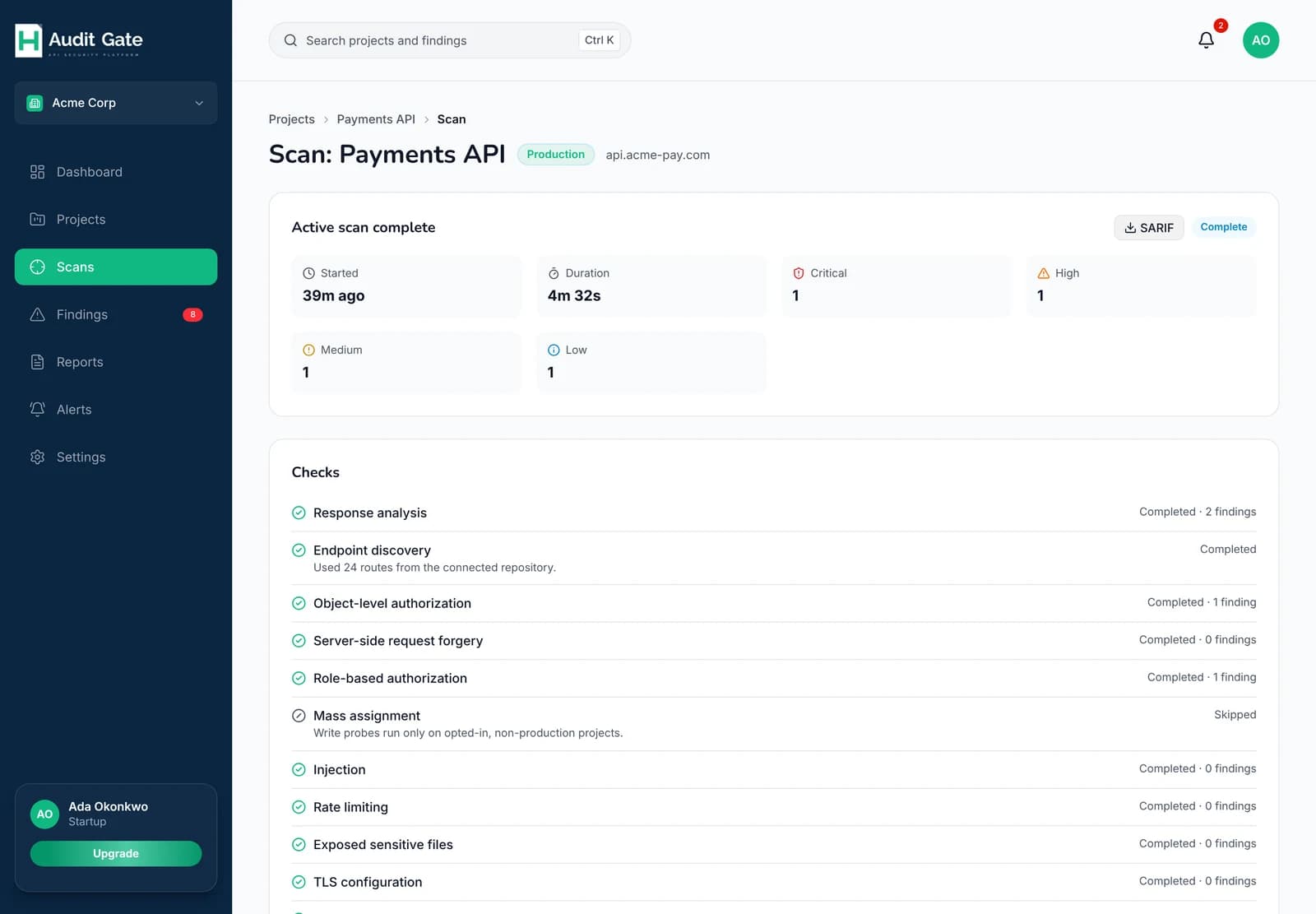 1234
1Download the results as SARIF
2Findings by severity
3Every check and its result
4A skipped check says why
Reading the scan page#
Each check shows whether it ran, how many problems it found, or why it was skipped. A skipped check isn't an error; it usually needs something you haven't set up yet.
| If a check says | Do this |
|---|---|
| Needs a low-privilege test token | Add a low-privilege user under Scan test tokens |
| Write probes run only on opted-in projects | Turn on write probes for a development or staging project |
| Connect a repository | Connect GitHub under Project settings → Codebase |
What to fix first#
- Verified critical and high findings. These were reproduced.
- Likely findings next. They usually hold up.
- Unverified findings last. They sit in the Needs verification tab. Check the evidence before spending time on them.
A first scan often turns up quick configuration fixes, like missing security headers, alongside a few real authorization or rate-limit problems. The configuration fixes raise your health score fast, but the authorization problems are the ones that matter most.
Keep it running#
- Add AuditGate to your pipeline so every deploy to staging gets scanned.
- Set up an alert so critical findings reach you in Slack or email.
- Invite your team and assign findings to owners.