
Find API security issues
before release.
AuditGate combines active API and frontend scans with optional proxy based traffic monitoring. Review prioritized findings, investigate the evidence, and work through remediation with your team.
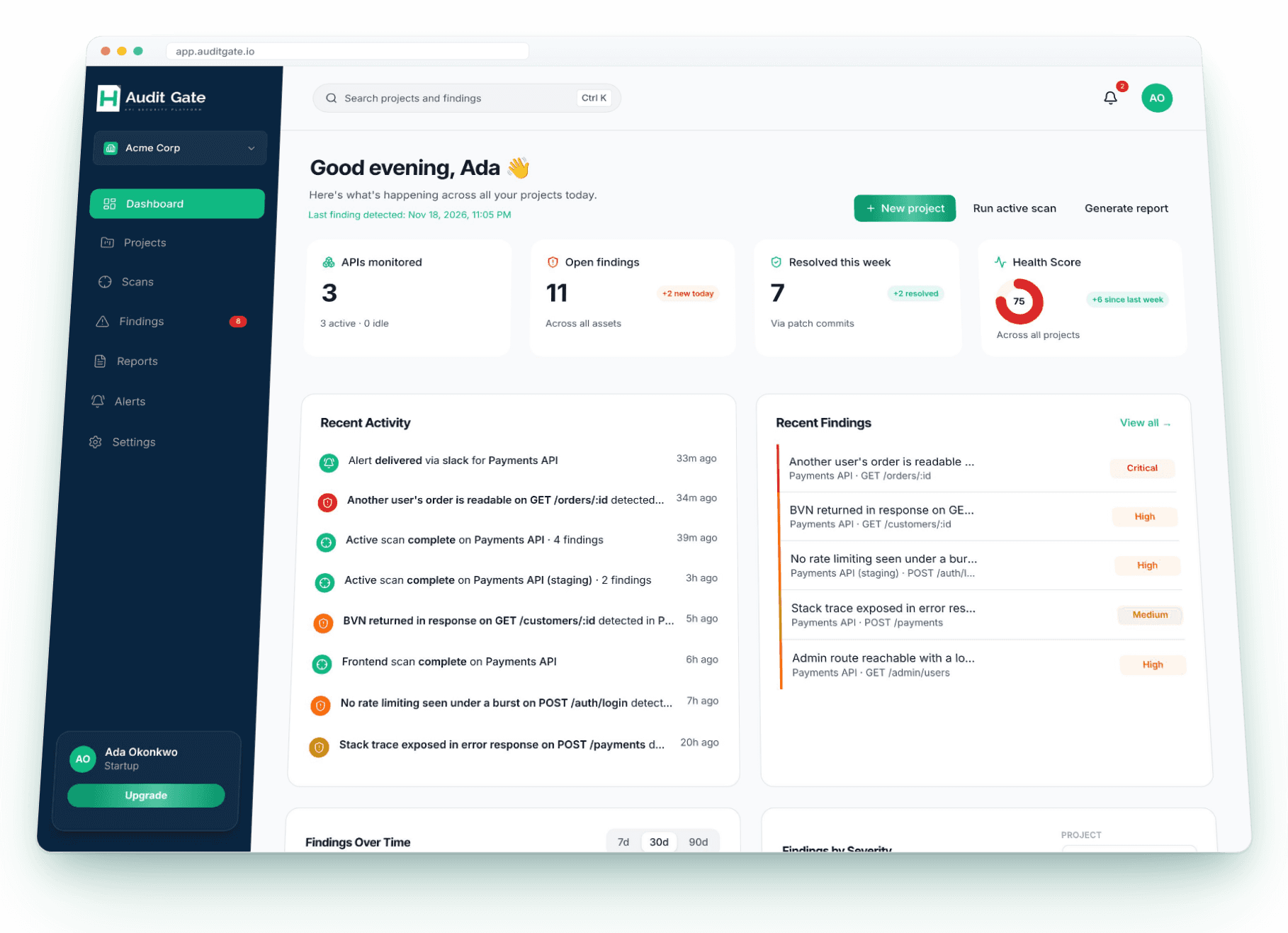
See API risk, investigate findings, and track the work
Run scans when you need them, monitor traffic through the optional proxy, and give engineers the detail they need to triage and address API security issues.
API traffic monitoring
Enable the project proxy to inspect API traffic and surface security findings with the affected endpoint and supporting evidence.
Active API and frontend scans
Start an active scan for a project API or frontend from the dashboard. Follow its progress and review the findings when it completes.
Findings with investigation context
Triage issues by severity and status, then review affected endpoints, evidence, detection details, and confidence in the finding view.
Remediation assistance
Review generated remediation guidance. Connect a GitHub repository for suggestions grounded in indexed project code.
Alerts for security and API signals
Create email, Slack, or webhook alerts for finding severity, completed scans, latency thresholds, and error-rate thresholds.
Project health and reports
See project health scores, finding trends, and scan history across your workspace. Generate a security assessment report you can share with clients and auditors.
Full coverage. Zero blind spots.
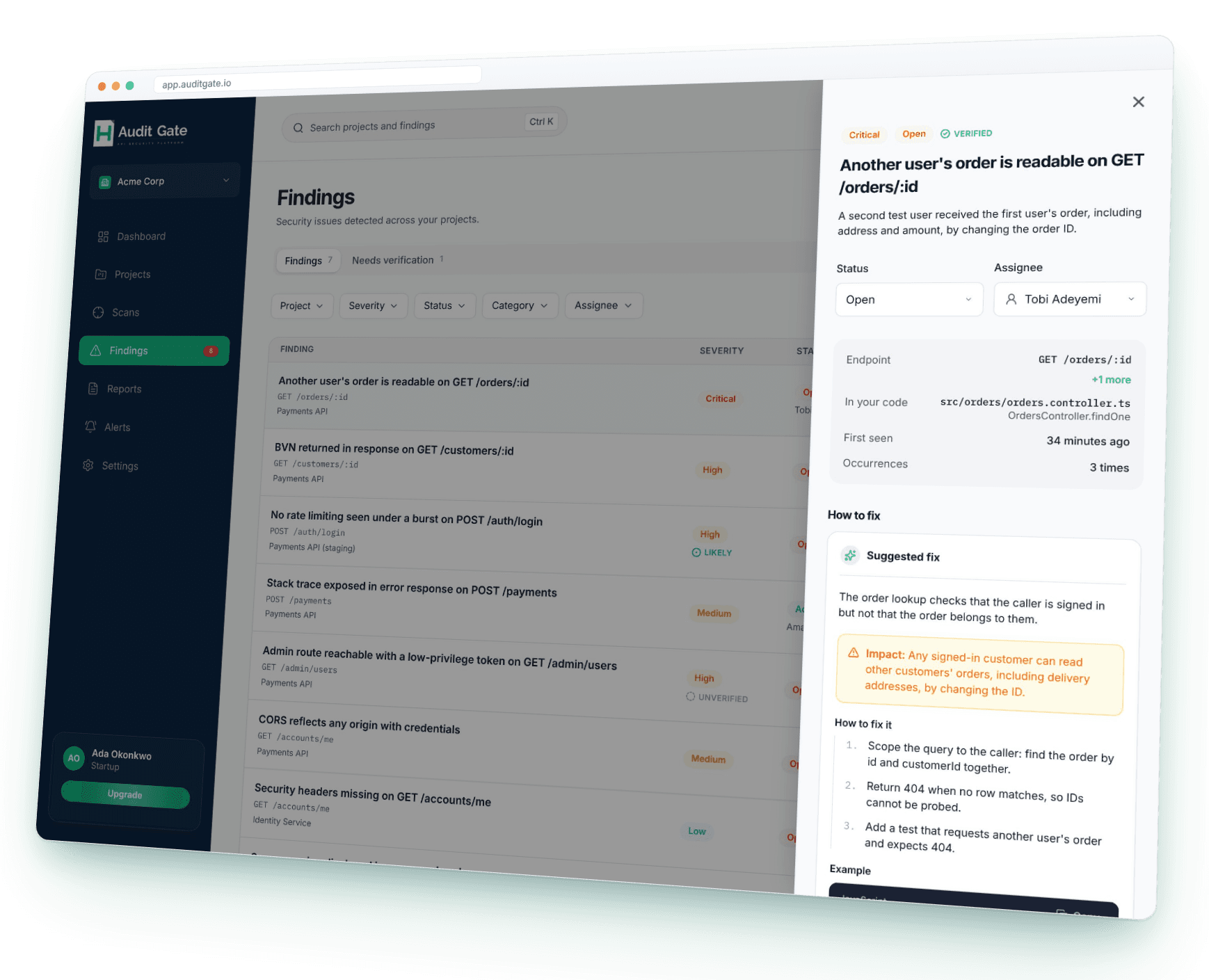
Investigate each finding with context.
Findings bring the affected project and endpoint together with severity, evidence, detection details, confidence, and available remediation guidance.
- Filter and group findings by severity, status, rule, and other criteria
- Review the affected endpoint and supporting evidence
- See confidence and the reason a rule flagged the issue
- Use remediation suggestions and project code context when available
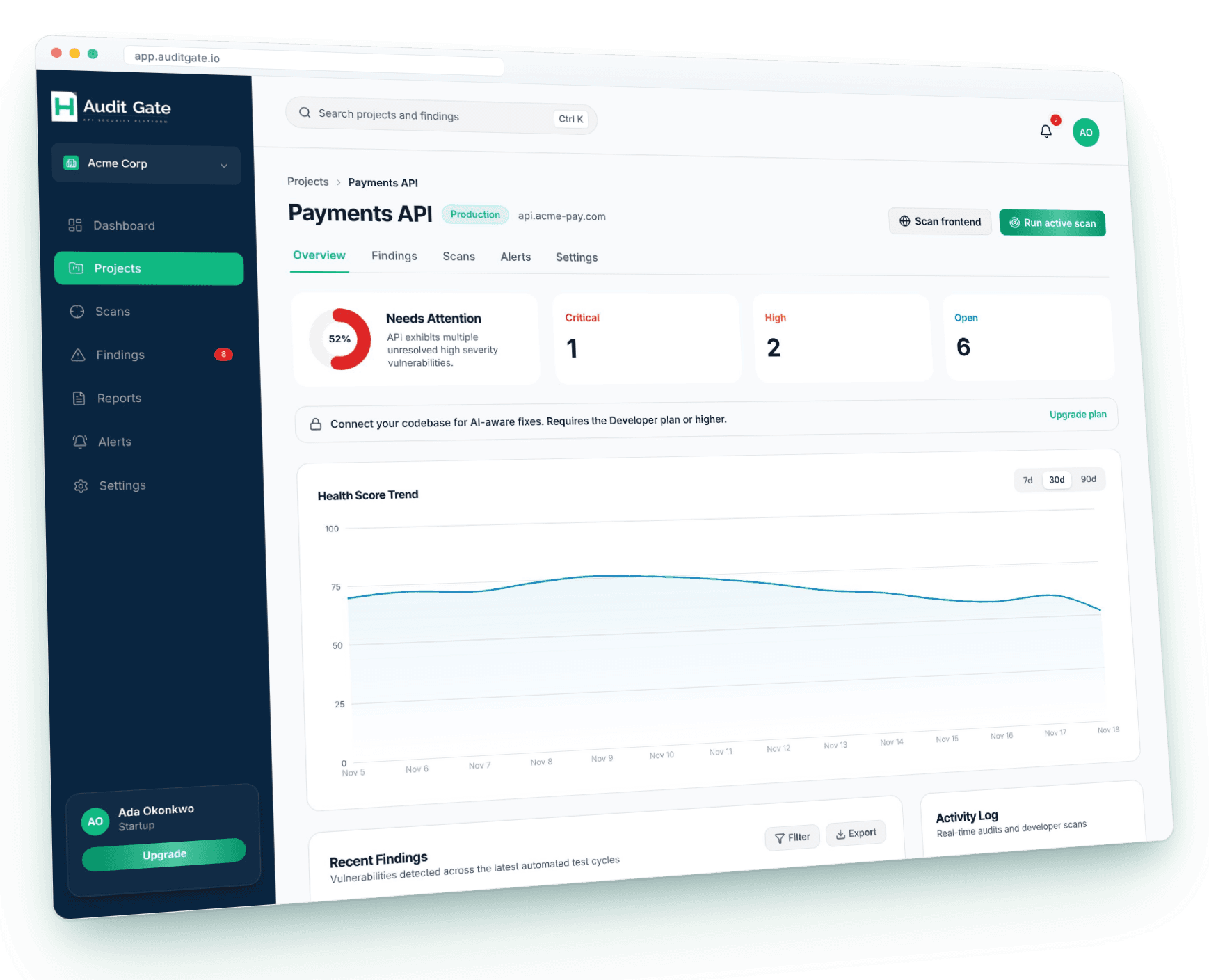
See project health and scan activity.
Project pages bring health score, recent findings, scan history, and activity together so a team can see what needs attention.
- Review severity counts alongside project health
- See recent scans and their results
- Open a project to review findings, scans, alerts, and settings
- Generate a security assessment report for a project
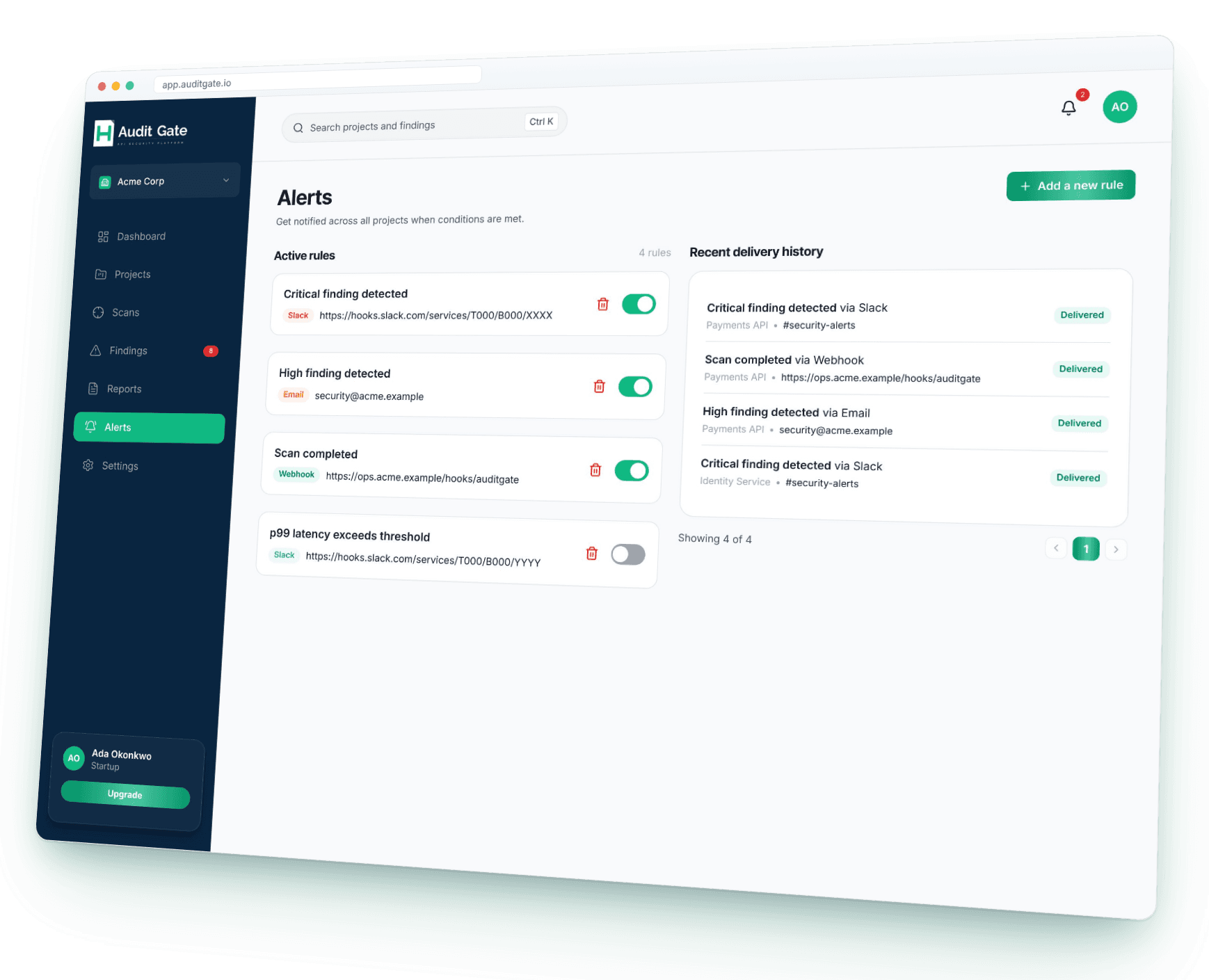
Choose which API signals reach your team.
Configure alert rules for finding severity, completed scans, latency, or error rate, then choose email, Slack, or a webhook as the destination.
- Set rules for findings, scans, latency, or error rate
- Send notifications to email, Slack, or a webhook
- Enable, disable, and remove alert rules
- Review delivery status in alert history
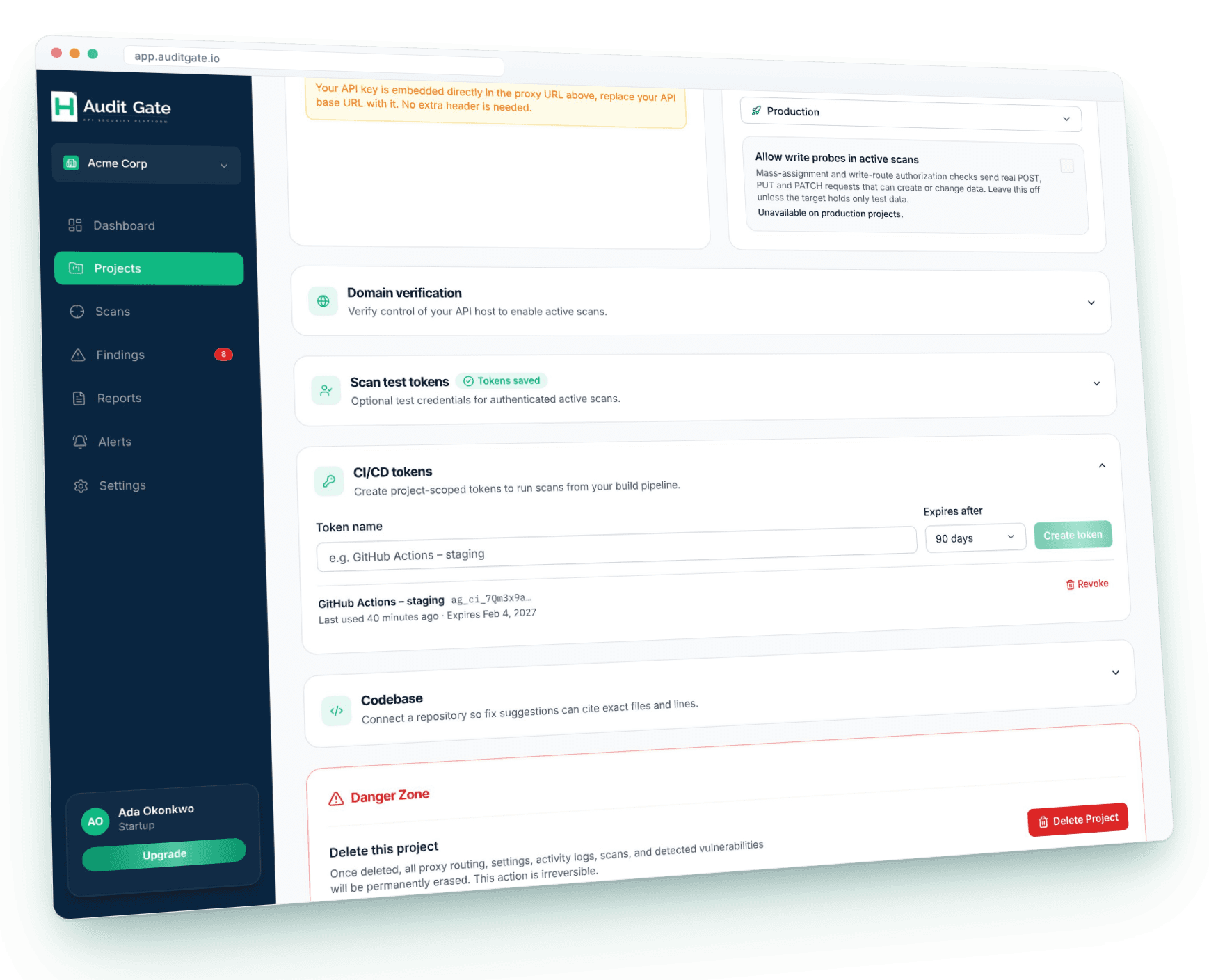
Bring API scans into your CI/CD pipeline.
Create project-scoped tokens in settings and use them to trigger scans from GitHub Actions or another build pipeline.
- Create a named token for each project or pipeline
- Choose an expiry period for each token
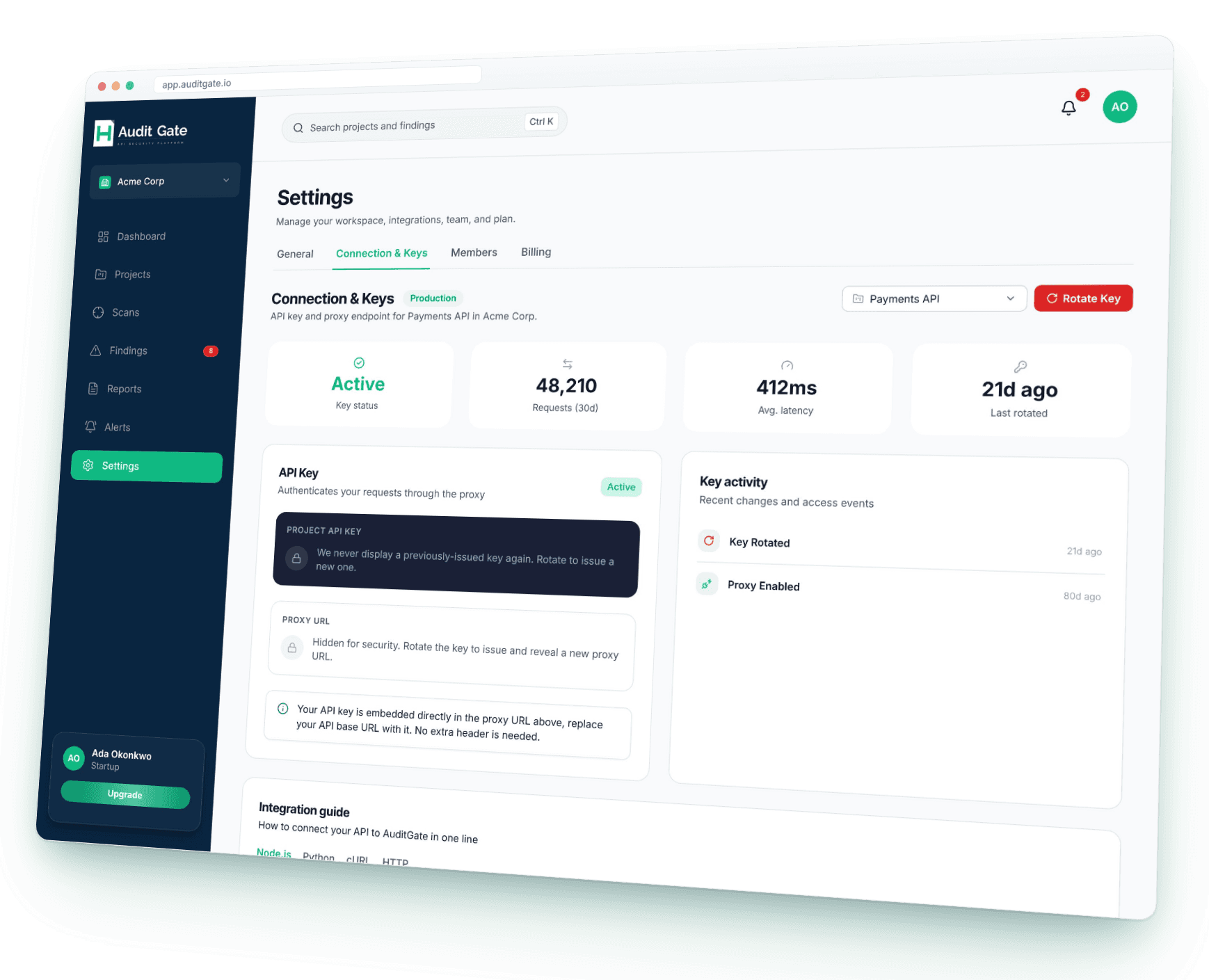
- Connect APIs with Node.js, Python, cURL, or HTTP examples
- Revoke tokens from project settings when they are no longer needed
Create a project
Set a project name, environment, and API base URL. Enable the proxy if you want to monitor traffic routed through AuditGate.
Scan or route API traffic
Start an active API or frontend scan from the app, or use the project proxy for passive API traffic monitoring.
Triage and follow up
Review severity, evidence, and remediation guidance; update finding status and run another scan to check your changes.
Security reports
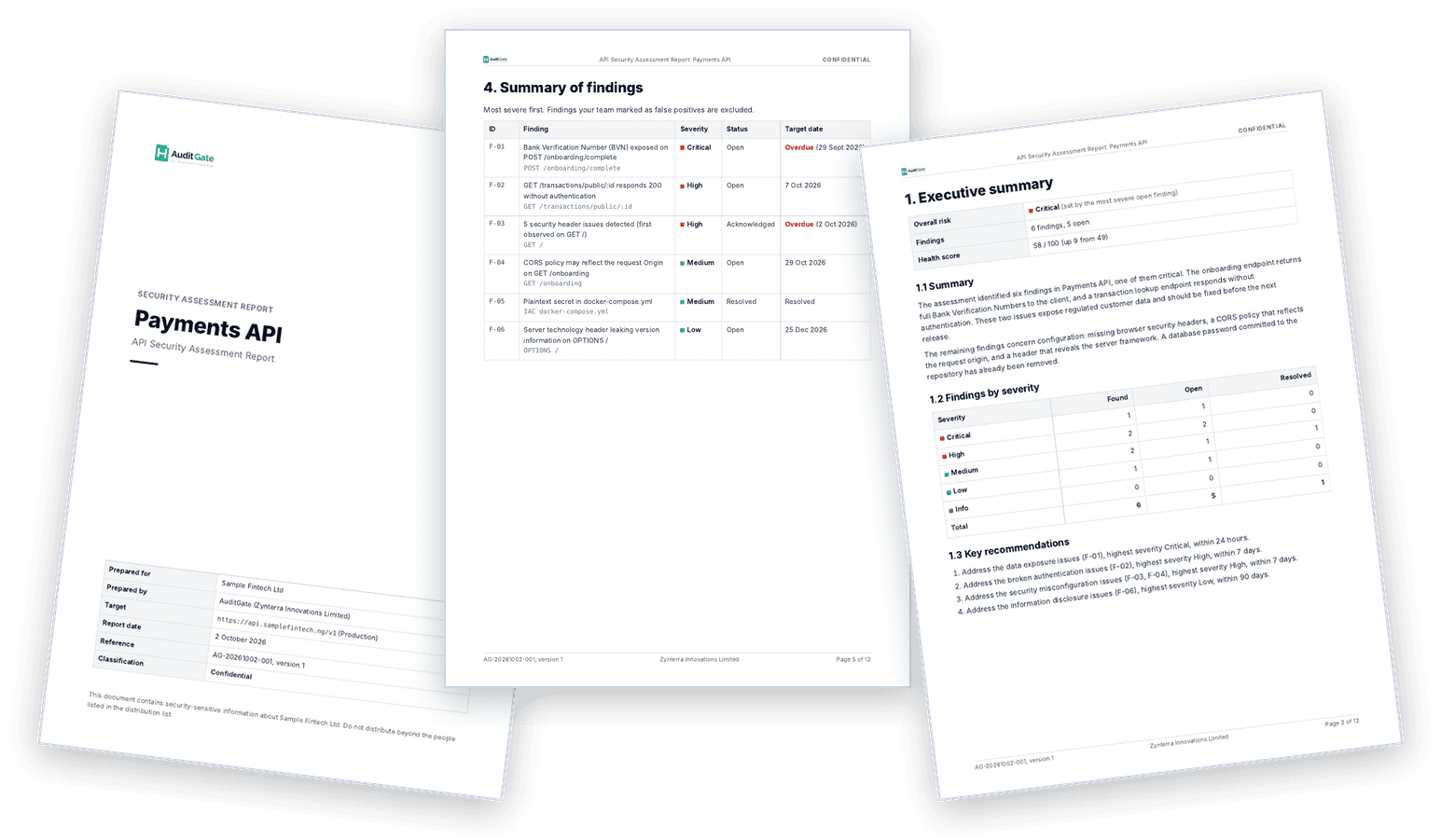
A report you can hand to an auditor
Turn a project's findings into a security assessment report in one click. It reads like a report from a security firm, not a printout of a dashboard.
- Written in the format auditors, banks and enterprise clients expect: document control, scope, risk ratings, findings and a remediation plan.
- Every finding with its evidence, steps to reproduce, impact, recommended fix and OWASP and CWE references.
- Sensitive values like tokens and BVNs are masked, and every page is marked confidential.
- Need a framework view? Generate an OWASP API Security Top 10 or PCI DSS v4.0 report that maps every finding to a risk or requirement.
- Share it as a PDF or a link you can revoke at any time.
Builder includes a summary report. The full report and the OWASP API Top 10 report come with Developer, and the PCI DSS v4.0 report with Startup and above.
Plans for every team
You get the full security engine from day one, even on the free plan. Upgrading just means more projects, more seats, and more breathing room.
Free
See what AuditGate finds in your API.
- 1 project · 3 sites a month
- 1 workspace
- 2 team members
- Live traffic monitoring (optional proxy): 2,000 requests/mo
- Security scans: 5/mo (1 a day)
- AI fixes (Aegis): 3/mo
- GitHub code scanning
- CI/CD gate
- Email alerts · 1 alert rule
- PDF reports
- Compliance reports (OWASP, PCI DSS)
- Full evidence (request and response proof)
- 7-day findings history
Builder
For solo developers and freelancers shipping one product.
- 2 projects · 5 sites a month
- 1 workspace
- 3 team members
- Live traffic monitoring (optional proxy): 50,000 requests/mo
- Security scans: 30/mo (2 a day)
- AI fixes (Aegis): 25/mo
- 1 GitHub repo (code scanning)
- CI/CD gate
- Email alerts · 3 alert rules
- 1 summary report/mo
- Compliance reports (OWASP, PCI DSS)
- Full evidence (request and response proof)
- 30-day findings history
Developer
For small teams running APIs in production.
- 3 projects · 10 sites a month
- 2 workspaces
- 5 team members
- Live traffic monitoring (optional proxy): 500,000 requests/mo
- Security scans: 100/mo (5 a day)
- AI fixes (Aegis): 100/mo
- 3 GitHub repos (code scanning)
- CI/CD gate
- Email + Slack alerts · 10 alert rules
- 5 full assessment reports/mo
- OWASP API Top 10 report
- Full evidence (request and response proof)
- 90-day findings history
Startup
For funded teams with several services.
- 10 projects · 30 sites a month
- 5 workspaces
- 15 team members
- Live traffic monitoring (optional proxy): 1,000,000 requests/mo
- Security scans: 400/mo (20 a day)
- AI fixes (Aegis): 300/mo
- 10 GitHub repos (code scanning)
- CI/CD gate
- Email, Slack + Webhook alerts · unlimited rules
- 20 full assessment reports/mo
- OWASP and PCI DSS v4.0 reports
- Full evidence (request and response proof)
- 180-day findings history
Business
For fintechs and regulated teams that need proof for audits.
- 30 projects · 90 sites a month
- 15 workspaces
- Unlimited team members
- Live traffic monitoring (optional proxy): 10,000,000 requests/mo
- Security scans: 1,500/mo (60 a day)
- AI fixes (Aegis): 1,000/mo
- 30 GitHub repos (code scanning)
- CI/CD gate
- Email, Slack + Webhook alerts · unlimited rules
- 100 full assessment reports/mo
- OWASP and PCI DSS v4.0 reports
- Full evidence (request and response proof)
- 1-year findings history
- Priority support (same business day)
Enterprise
Unlimited everything, custom contracts and dedicated support.
- Unlimited projects
- Unlimited workspaces
- Unlimited team members
- Live traffic monitoring (optional proxy): custom volume
- Unlimited security scans
- Unlimited AI fixes (Aegis)
- Unlimited GitHub repos (code scanning)
- CI/CD gate
- Email, Slack + Webhook alerts · unlimited rules
- Unlimited full assessment reports
- OWASP and PCI DSS v4.0 reports
- Full evidence (request and response proof)
- 10-year findings history
- SSO, custom contracts and dedicated support
Monitored requests only count traffic you send through the optional proxy. Scans, code scanning and AI fixes don't use them. If the allowance runs out, your API traffic still goes through normally; AuditGate just pauses analysing it until the month resets.
API traffic
Optional proxy with Node.js, Python, cURL, and HTTP examples.
Scan targets
Run active scans against project APIs and frontends from the app.
GitHub code context
Link selected repositories so remediation suggestions can reference relevant files and lines.
Build pipelines
Create project-scoped CI/CD tokens to trigger scans from GitHub Actions or another build pipeline.
Connect the parts of your API workflow
Link a selected GitHub repository for code-aware remediation, then use a project-scoped CI/CD token to trigger scans from your build pipeline. Manage repository access and token expiry in project settings.
Get started for freeTrust and security at AuditGate
We are asking you to put our software in front of the thing you are trying to protect. That is a significant request and it deserves a complete answer rather than a reassuring sentence. Everything below describes what actually happens to your data.
What we Inspect
Request and response metadata, headers, status codes, endpoint paths and response structure.
What we do not store
Request and response bodies are analysed in memory and discarded. We do not retain your customers' personal data or the contents of your payloads.
Redaction
Values matching known secret and token patterns are redacted before a finding is written to storage.
Retention
Findings and reports are retained according to plan, from 7 days on Free through to 1 year on Business. Enterprise retention is configurable.
Access
Only the members you invite to a project can view its findings.
Deletion
Delete a project and every finding and report associated with it is removed with it.
Frequently Asked Questions
Create a workspace and project, then choose how to start: run an active API or frontend scan from the app, or enable the proxy and route API traffic through it for passive monitoring.
Give your team a clearer view of API risk.
Start with an active scan or enable the project proxy for passive traffic monitoring. Review findings with the evidence and remediation context your team needs to take the next step.